How Do I Transfer Objects from One Project to Another? (Magic xpi 4.1)
In Magic xpi, you can transfer individual flows or business processes by using the export functionality.
In this example, we will be exporting the flows from one project, to use in starting another project.
-
Place your cursor on the business process. When you export the business process, all of the flows are exported as well.
-
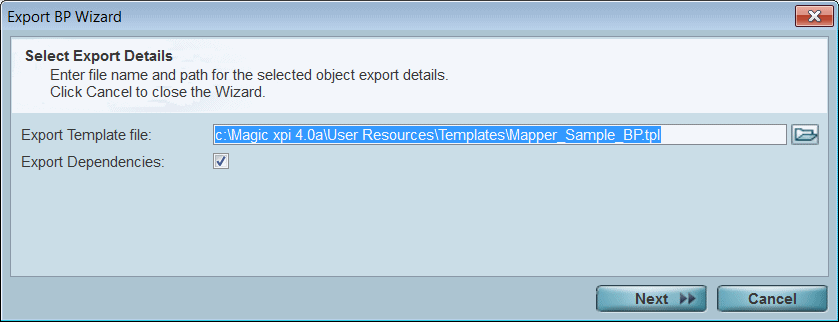
Go to the Tools menu and select Export BP/Flow.
-
Enter a file name, if you want. By default, the file will be created in the User Resources\Templates subdirectory of the working directory. You can zoom to choose the location. The .tpl suffix will automatically be appended when the file is created.
-
Select Export Dependencies if you want to include dependent objects, such as global and context variables, and Project Repositories used by the flow. The default value is checked. The list of dependencies that are a part of the export process will be specified in the next step of the wizard.
-
Click Next.
-
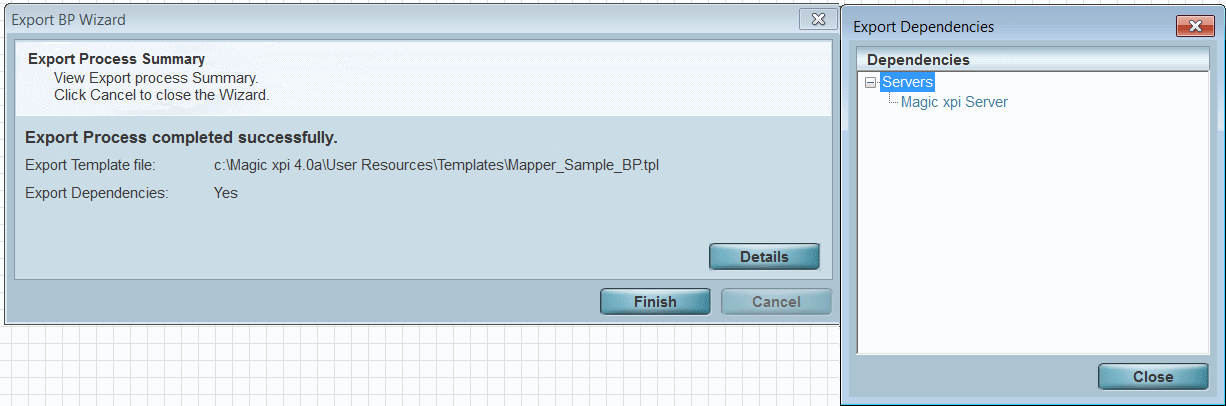
Click on the Details button to get the list of dependencies that you can export.
-
Click Close and then click Finish.
When the export is finished, a new file will be created. In this example, the file Mapper_Sample_BP.tpl was created.
|
Note:
|
External files, such as XSD files, will not be imported or exported. These files should be moved manually.
|
|
-
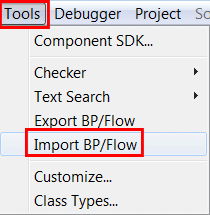
Go to the Tools menu and select Import BP/Flow.
-
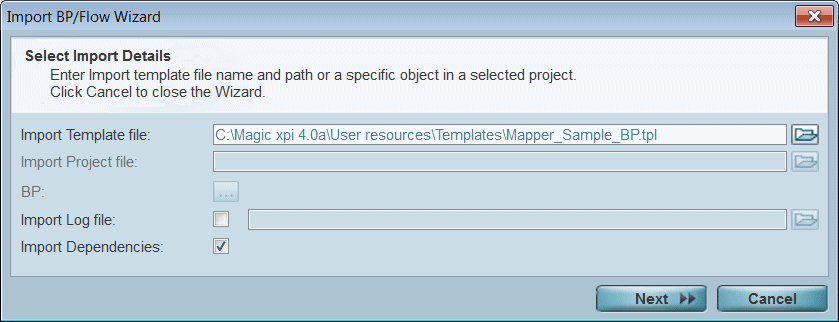
Enter the file name with path of the .tpl file you just exported.
-
Click Next, on the next screen click Import, and on the screen after that click Finish.
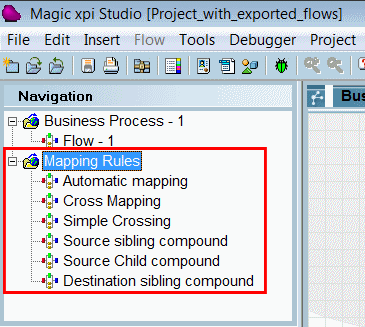
The objects you exported will now be located in your project. They will import sequentially underneath the items that are already in that object repository. In our sample, you can see the imported business process, Mapping Rules, in the Navigation pane.
|
Hint:
|
Import/export is generally used to move objects between two versions of the same project, to import items into an empty project (such as generic models), or to copy simple generic routines. In general, if you need to share objects between several projects, it is better to use a user-defined component. User-defined components are truly reusable objects that are easily shared.
|
|
