How Do I Create a Browse Program for a Data Source Having Table Relationships? (Magic xpa 4.x)
You can link two Database tables in 1:1 relationship and generate a program automatically. You can generate a program automatically that has Tables in it using the Menu option Generate Relationships Program (Ctrl+R).
Follow the given steps to generate a program with Table Relationships automatically:
-
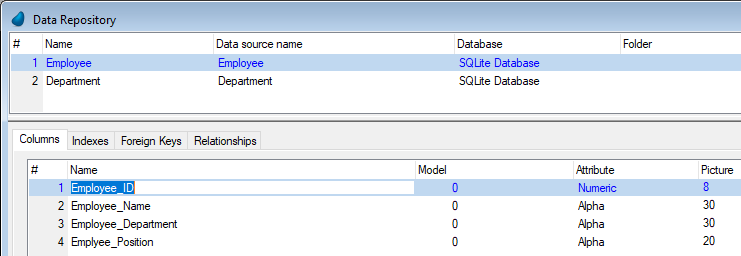
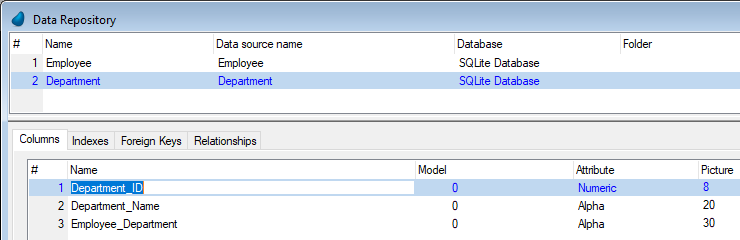
Define two tables as follows:
Employee Table:
Department Table:
2. Park on Employee_Table (Current Table).
3. Click on Relationships tab. Here you need to enter Relationship Name.
4. 4. Create a Line (F4).
5. 5. Enter the name of the Relationship such as Emp_Dept_Relationship.
5. 6. From Type Combo box, select Type as 1:1.
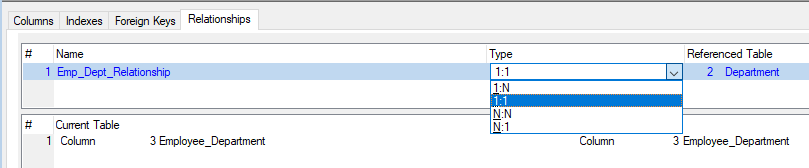
7. Zoom on Referenced Table number.
8. Select a Referenced Table which you want to link to the Current Table.
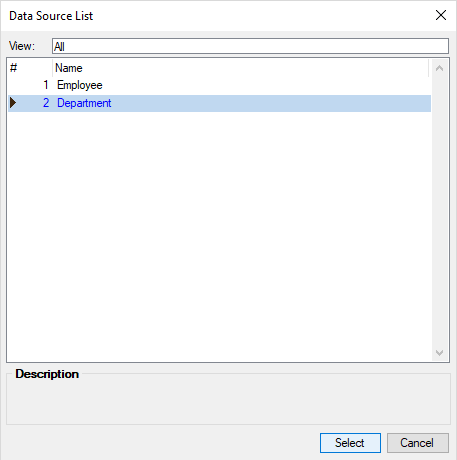
9. Click Select.
2. 10. Click on Current Table. Now you need to set a Criteria to link Referenced table with Current Table. To set a Criteria:
11. Select Column from the options Column/Variable. (You can select Column from Table or Variable from Main program.)
4. 12. Zoom on the Current Table’s Column number. You get to see the list of all columns in Current Table.
5. 13. Select column #3, Employee_Department.
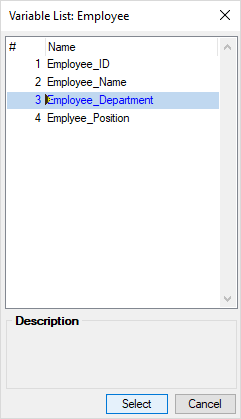
14. Click Select.
2. 15. Similarly, select a Column Employee_Department from the Referenced Table.
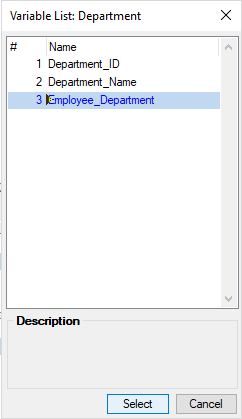
1. 16. Click Select.
2. 17. Now park on Employee_Table.
18. Press Ctrl+R for APG with Table Relationships. You are presented with APG Relationships dialog. You can see the relationships in the form of tree structure in collapsed manner. You need to expand the nodes to be able to see Columns, Relationships, and Criteria. Note that Employee_Department is the common column by which Current Table and Referenced Table are linked.
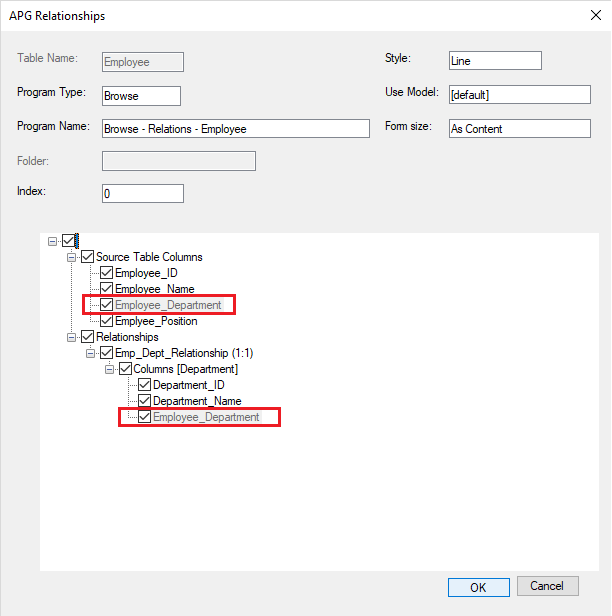
19. Keep all the options on the dialog box to default.
2. 20. Click OK.
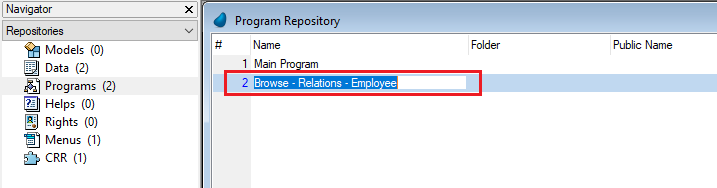
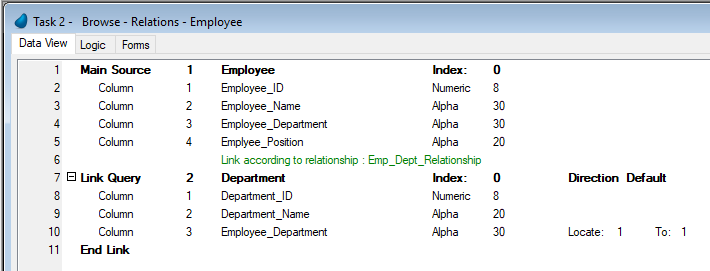
21. See Programs Repository. You get to see the program Browse – Relations – Employee at the end of the list of programs.
22. Now if you open the program’s Data View, you get to see that a program is generated for Employee Table with a Link Query as shown below.
Since version: 4.7
